Selling MARS for Bitcoin — Creating Swap Offers
How to create atomic swap offers in Electrum-Mars to sell Marscoin for Bitcoin. Set your price, publish to the network, and receive BTC automatically when someone accepts.
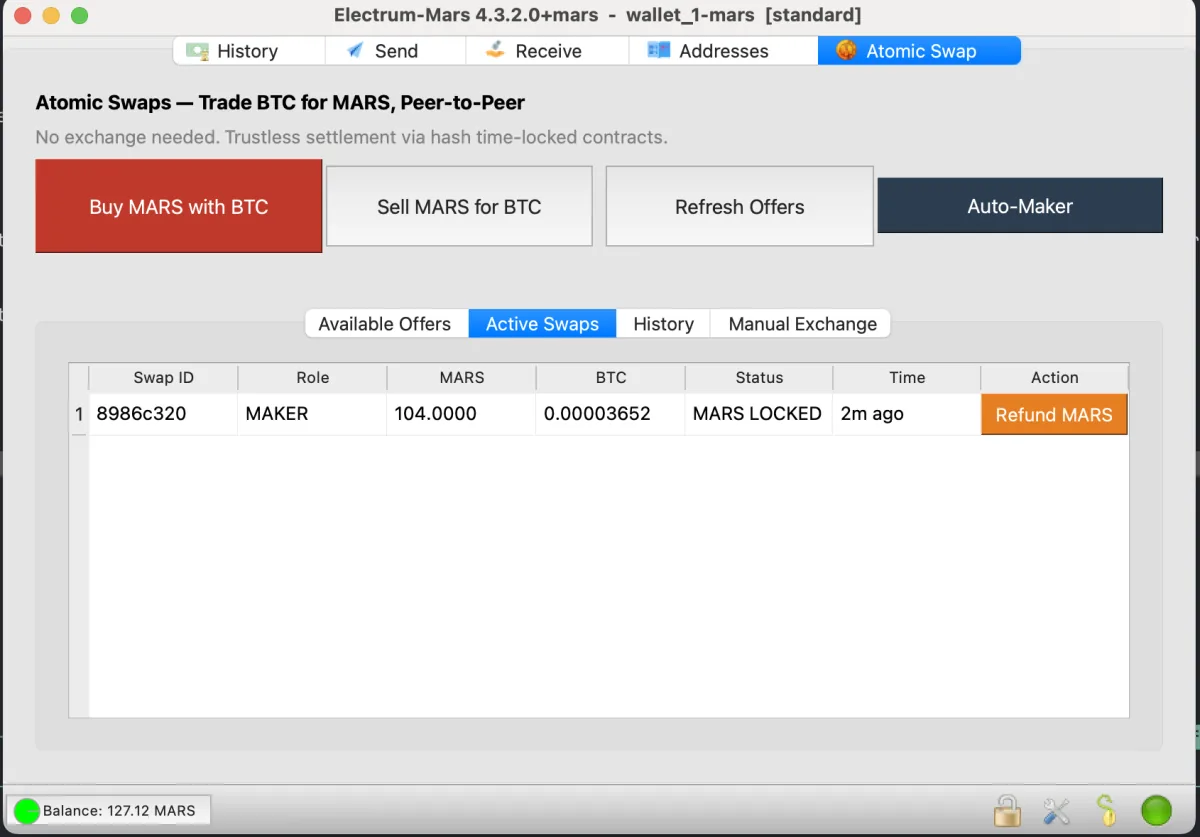
Overview
As a maker, you create swap offers that other users can accept. You set the price, the amount, and how long the offer stays active. When someone accepts your offer and sends BTC, the entire settlement process runs automatically — your wallet locks the MARS, detects the BTC, claims it, and the swap completes without any further action from you.
This guide covers manual offer creation. For automated market making, see the Auto-Maker Guide.
What You Need
- Electrum-Mars version 4.4.3 or later
- Marscoin balance — the MARS you want to sell must be confirmed in your wallet
- A Bitcoin receive address — from any Bitcoin wallet (Exodus, Sparrow, hardware wallet, etc.) where you want to receive the BTC payment
- An internet connection — your wallet must stay online while the offer is active
Step 1: Click “Sell MARS for BTC”
Open the Atomic Swap tab and click the Sell MARS for BTC button. The Create Offer dialog opens.
Step 2: Set Your Offer Parameters
The dialog has several fields:
MARS Amount
How much Marscoin you want to sell. The wallet checks your confirmed balance and warns you if you’re committing more than 90% of your funds.
BTC Amount
How much Bitcoin you want in return. You can either:
- Enter manually — type the exact BTC amount you want
- Use auto-price — check the “Auto-price from market” box, which fetches the current MARS/BTC rate from CoinMarketCap via price.marscoin.org and calculates the BTC amount for you
When using auto-price, you can adjust the fee percentage to set how much above market rate you want to charge. A 5% fee means a buyer pays 5% more BTC per MARS than the current spot price.
BTC Receive Address
This is critical. Enter the Bitcoin address where you want to receive the BTC when your MARS sells. This should be an address you control in any Bitcoin wallet.
The address is validated to start with bc1 (bech32), 1 (legacy P2PKH), or 3 (P2SH). It’s saved between sessions, so you only need to enter it once.
Offer Duration
How long the offer stays visible on the network. Options range from 2 to 12 hours. After this time, the offer expires and is removed from the order book. If no one accepts within the window, nothing happens — no MARS is locked, no funds are at risk.
Step 3: Review and Publish
Click Create Offer. The wallet:
- Generates a random 32-byte preimage and its HASH160 — the cryptographic secret that binds the swap
- Creates an ephemeral ECDSA keypair for this specific swap
- Computes the MARS locktime (current Marscoin block height + 234 blocks, approximately 8 hours)
- Publishes the offer to all connected ElectrumX servers in parallel
A confirmation dialog shows:
- The MARS amount being offered
- The BTC amount you’ll receive
- Whether the offer was successfully published to the network
Your offer now appears in the Available Offers tab on every Electrum-Mars wallet connected to the network. It also appears in your Active Swaps tab with the status “Offer posted. Waiting for buyer…”
Step 4: Wait for a Taker
This is the passive part. Your wallet stays open and the SwapWorker background engine polls ElectrumX every 30 seconds for acceptances.
When someone accepts your offer, the status updates to “Buyer accepted! Funding MARS…” and the following happens automatically:
- The taker’s public key arrives via ElectrumX
- Your wallet builds the MARS HTLC script using both public keys and the payment hash
- Your wallet independently computes and verifies the BTC HTLC address from the taker’s acceptance — confirming it matches the expected parameters (this prevents a malicious taker from sending a fabricated address)
- Your wallet signs and broadcasts the MARS funding transaction, locking your MARS in the HTLC on the Marscoin blockchain
- Status changes to “MARS locked. Waiting for BTC…”
Step 5: Automatic BTC Claim
Once the taker sends BTC and it confirms (at least 1 confirmation), your wallet:
- Detects the BTC at the HTLC address via the mempool.space API
- Status changes to “BTC received! Claiming…”
- Builds a Bitcoin claim transaction using the preimage and your private key
- Broadcasts the claim to the Bitcoin network via mempool.space
- BTC arrives in your Bitcoin wallet at the address you specified
- Status changes to “Complete! BTC received.” and the swap moves to History
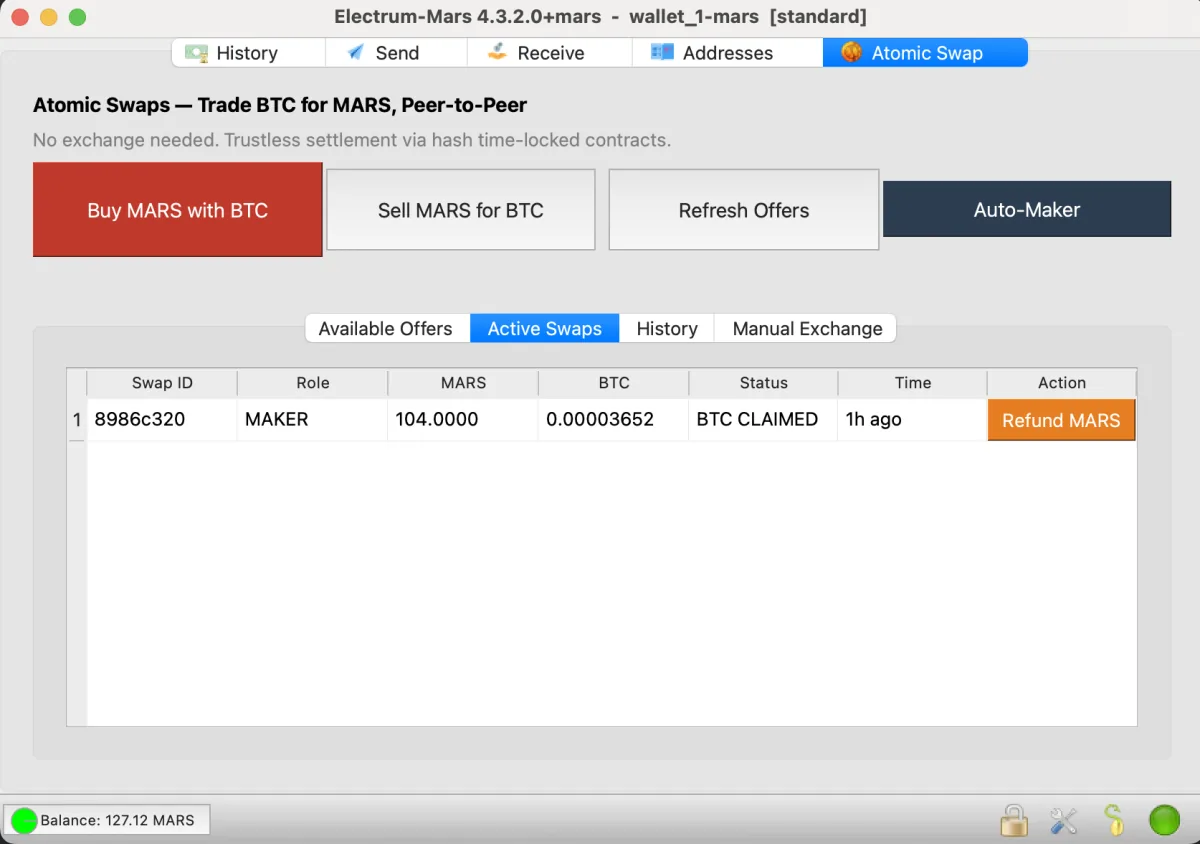
The preimage is now visible on the Bitcoin blockchain. The taker’s wallet extracts it and uses it to claim the MARS from the Marscoin HTLC. Both sides are settled. The swap is atomic — either both complete or neither does.
What If Something Goes Wrong?
The taker never sends BTC
Your MARS stays locked in the HTLC for up to 234 Marscoin blocks (approximately 8 hours). After that, you can refund by clicking Refund MARS in Active Swaps. The MARS returns to your wallet. No BTC was ever at risk because the taker never funded their side.
Your wallet crashes mid-swap
All state is persisted to a local SQLite database. When you restart, the SwapWorker resumes. If the swap was at MARS_LOCKED and the taker already sent BTC, the worker will detect it, claim the BTC, and complete normally. If the taker never sent BTC, you refund after the timelock.
⚠ Back up your swap database
Swap private keys are not derived from your wallet seed. They exist only in ~/.electrum-mars/atomic_swaps/atomic_swaps.db. If this file is lost during an active swap, the locked funds become unrecoverable. Keep a backup of this directory, especially while swaps are in progress.
The BTC claim takes a while
Bitcoin block times vary. The claim transaction uses a fee estimated from mempool.space’s recommended rate. In rare cases of extreme fee congestion, the claim may take longer to confirm. The 4-hour gap between the BTC timelock and the MARS timelock provides substantial buffer — the taker cannot refund their BTC while your claim is pending.
Understanding the Economics
Your profit
If you set a 5% fee above market rate and sell 500 MARS:
- Market rate: 0.00000042 BTC/MARS
- Your rate: 0.00000044 BTC/MARS (5% premium)
- You receive: 0.00022 BTC
- At current BTC price (~$85,000): approximately $18.70 worth of BTC
Network fees
- MARS funding tx: ~0.001 MARS (deducted from your balance)
- BTC claim tx: ~200 sat × current fee rate (deducted from the BTC you receive)
- Total cost is typically negligible relative to the swap amount
Risk
Your MARS is locked for up to 8 hours. During that time you cannot spend it. If the swap completes, you receive BTC. If it doesn’t, you refund and get the MARS back. You never lose both currencies — that’s the fundamental guarantee of the HTLC construction.
Tips
- Keep your wallet open and online. The SwapWorker needs to run to claim BTC automatically. If your wallet is offline when the taker sends BTC, you’ll miss the automatic claim — though you can still claim manually when you reopen.
- Use a dedicated BTC address. Create a fresh receiving address in your Bitcoin wallet for swap earnings. This makes it easy to track your income.
- Start with smaller amounts. A 100 MARS offer is a good starting point. You can always create larger offers once you’ve completed a few successful swaps.
- Check the order book first. Click Refresh Offers to see what other sellers are offering. Pricing competitively (but not below your comfort zone) increases the likelihood of your offer being taken.
- Consider the Auto-Maker. If you want to sell MARS passively without managing individual offers, the Auto-Maker does this automatically with smart tiered pricing.
Creating a swap offer does not lock any MARS. Your coins are only locked when a taker accepts and the wallet funds the HTLC. If the swap doesn’t complete, you can always refund after the 8-hour timelock. This is experimental software — start with small amounts and maintain wallet backups.