Buying MARS with Bitcoin — Step by Step
A complete walkthrough of buying Marscoin with Bitcoin using the atomic swap feature in Electrum-Mars. No exchange account needed — just your wallet and some BTC.
What You Need
Before you start, make sure you have:
- Electrum-Mars version 4.4.3 or later, downloaded from the GitHub releases page
- Some Bitcoin in any Bitcoin wallet — Exodus, Sparrow, a hardware wallet, or even an exchange. You’ll send BTC to a generated address during the swap.
- An internet connection — the wallet communicates with ElectrumX servers and monitors Bitcoin via mempool.space
You do not need a Marscoin balance to buy. You do not need to create an account anywhere. You do not need to provide any personal information.
Step 1: Open the Atomic Swap Tab
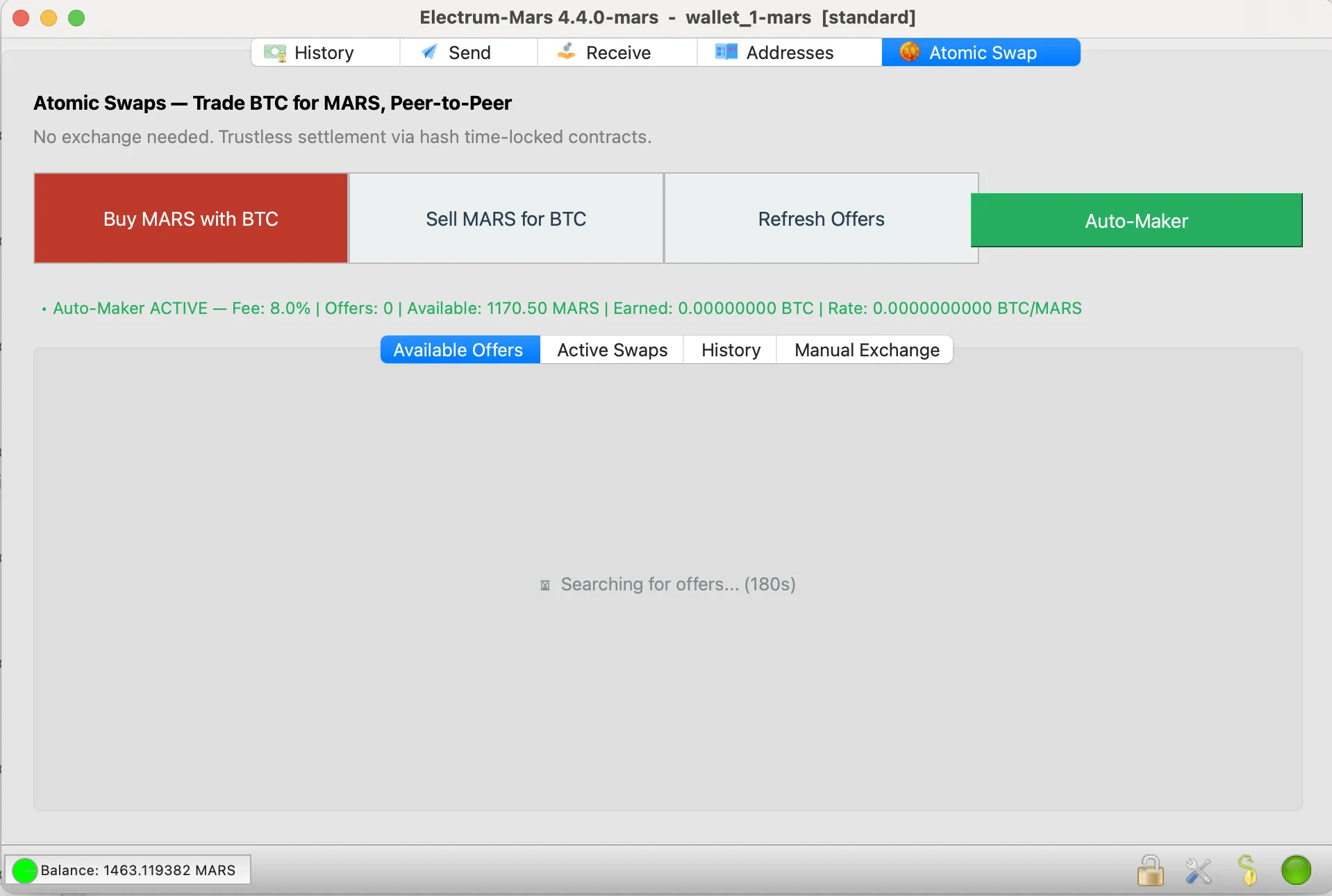
Launch Electrum-Mars and click the Atomic Swap tab in the top navigation bar. You’ll see four buttons: Buy MARS with BTC, Sell MARS for BTC, Refresh Offers, and Auto-Maker.
The Available Offers tab shows swap offers from other Marscoin holders who are selling. Each offer lists:
- MARS Amount — how much Marscoin is being sold
- BTC Amount — how much Bitcoin the seller wants
- Rate (BTC/MARS) — the price per Marscoin in Bitcoin
- Maker — the seller’s Marscoin address (for identification)
If no offers appear, click Refresh Offers to query all connected ElectrumX servers. Offers are relayed across the network, so it may take a moment for them to populate.
Step 2: Find an Offer You Like
Browse the available offers. Smaller offers typically have tighter spreads (lower fees), while larger offers may carry a premium. This is natural market-making behavior — sellers take on more risk with larger amounts.
Compare the Rate column across offers. A lower rate means you pay less BTC per MARS. The best deal is at the top of the list.
Step 3: Accept the Offer
Click the Accept button next to the offer you want. A confirmation dialog will appear showing:
- How much BTC you’ll send
- How much MARS you’ll receive
- The exchange rate
Review the details and click Yes to proceed. Accepting doesn’t cost anything: you haven’t paid yet.
Before it accepts, your wallet checks the offer’s two refund times. If the seller could take their MARS back too soon after your Bitcoin refund opens, the wallet refuses the offer and tells you why.
Step 4: Wait for the Seller to Lock MARS
The seller goes first. Their wallet locks the MARS in a lockbox on the Marscoin blockchain that only you can open. The payment window shows “Waiting for the seller to lock MARS” and the progress, usually a few minutes.
Your wallet doesn’t take anyone’s word for it. It rebuilds the lockbox from the deal’s terms, checks that it holds the full amount with 2 confirmations, and checks the transaction against its own copy of the Marscoin chain. Only then does it show you where to send Bitcoin. You can close the window meanwhile and reopen it from Active Swaps with the Status button.
If anything doesn’t match, or the seller takes too long, the window says “Do not send BTC” and the swap stops. You haven’t paid anything, so there’s nothing to recover.
Step 5: Send Bitcoin
Once the MARS is verified, the payment window shows:
- A Bitcoin address (the HTLC address)
- The exact BTC amount to send
- A QR code you can scan from a mobile Bitcoin wallet (it fills in the amount too)
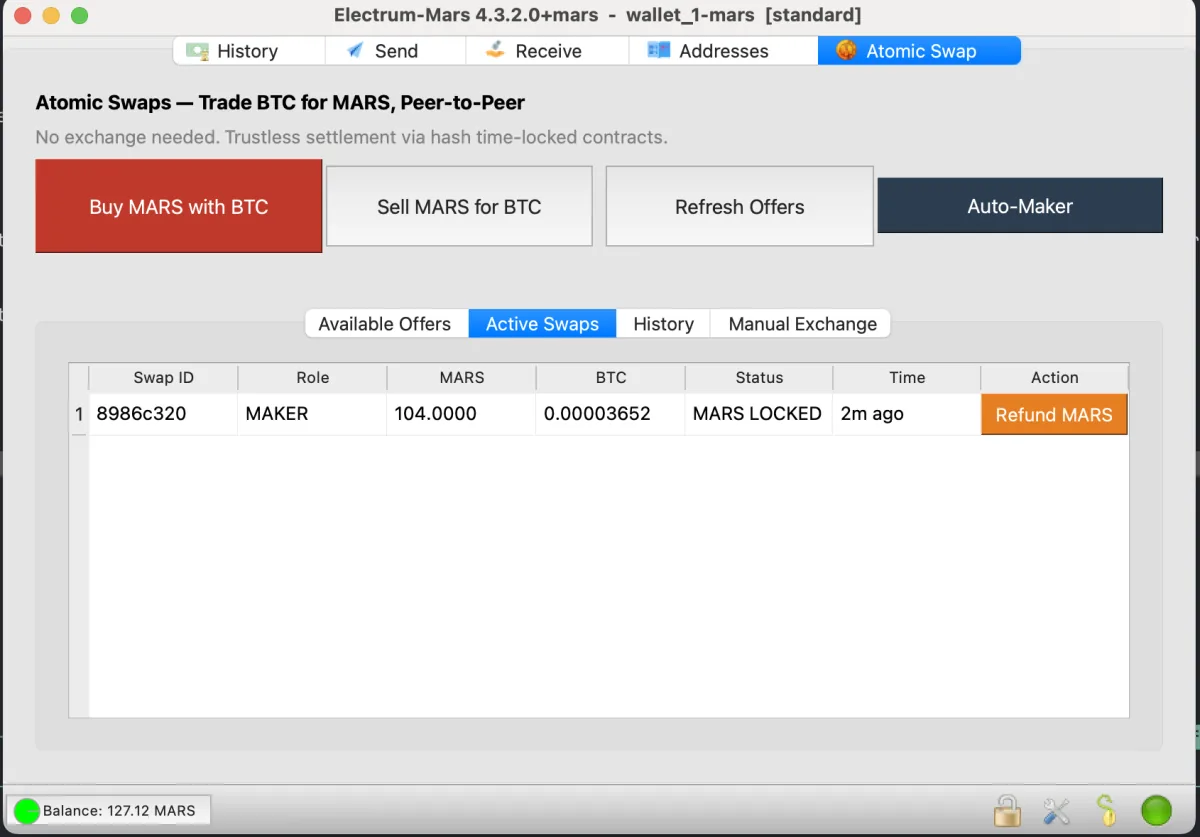
Copy the address or scan the QR code, then send the exact BTC amount from your Bitcoin wallet within about two hours. You can use any Bitcoin wallet — Exodus, Sparrow, Electrum (Bitcoin), a hardware wallet, or even withdraw from an exchange to this address.
Important: Send the exact amount shown. The HTLC script expects a specific value. Sending too little means the swap won’t proceed; sending too much means the excess goes to the miner as a fee.
⚠ Send the exact BTC amount
Double-check the amount before sending. The HTLC is a smart contract that expects a precise value. If you send too little, the swap cannot proceed and you’ll need to wait for the refund timelock to recover your BTC. If you send too much, the extra goes to the miner — not to you and not to the seller. Copy the amount directly from the payment dialog.
Step 6: Wait for Confirmation
After you send the BTC, the swap moves to Active Swaps with the status “BTC confirmed. Waiting for seller…”
Behind the scenes:
- Your BTC transaction confirms on the Bitcoin blockchain (~10 minutes for one confirmation)
- The seller’s wallet detects the BTC via mempool.space
- The seller’s wallet automatically claims the BTC — this reveals the cryptographic preimage on the Bitcoin blockchain
- Your wallet extracts the preimage from the Bitcoin chain
- Your wallet uses the preimage to claim the MARS from the Marscoin HTLC
- MARS appears in your wallet balance
All of these steps happen automatically. The SwapWorker background engine checks both chains every 30 seconds and drives the swap through each stage.
Step 7: MARS Received
When the swap completes, the status changes to “MARS received!” and your wallet balance updates. The swap moves to the History tab where you can see all your past swaps.
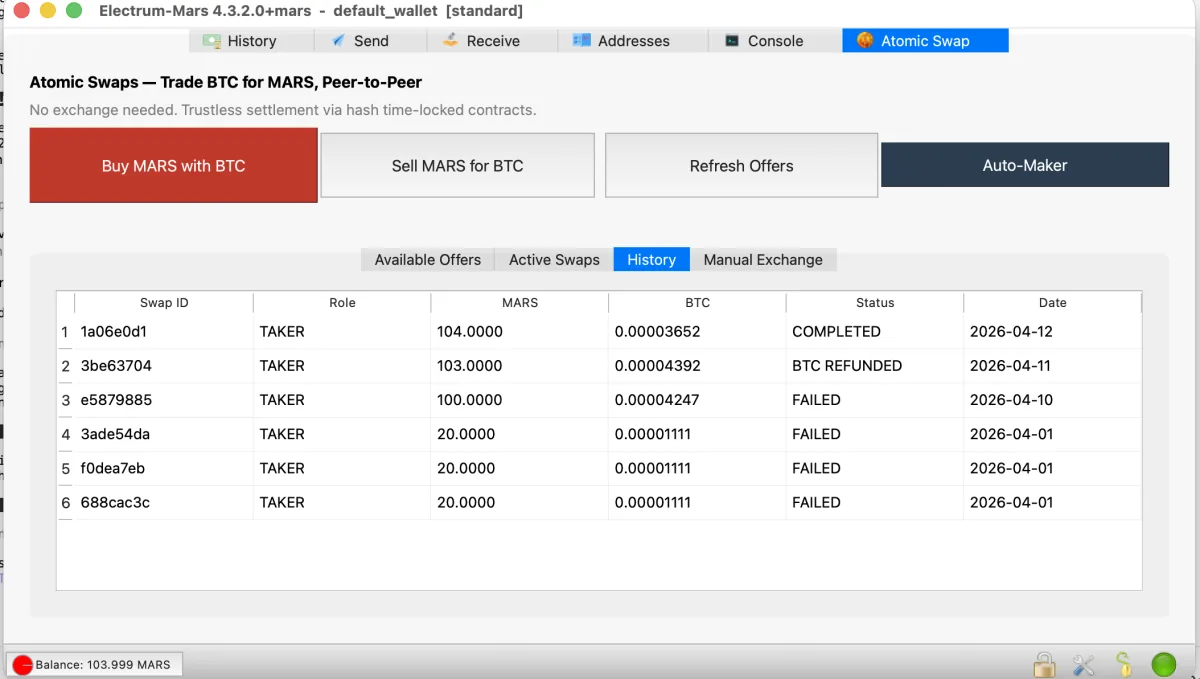
You can verify the transactions on both blockchains:
- Bitcoin: check the HTLC address on mempool.space — you’ll see your funding tx and the seller’s claim tx
- Marscoin: check the HTLC address on explore.marscoin.org — you’ll see the MARS funding tx and your claim tx
What If Something Goes Wrong?
The seller disappears
If the seller never locks the MARS, your wallet never shows a payment address, so you have nothing at stake. The swap simply stops.
If the seller disappears after you’ve paid, your BTC is locked in an HTLC — a Hash Time-Locked Contract. After 24 Bitcoin blocks (approximately 4 hours), you can reclaim your BTC by clicking the Refund BTC button that appears in Active Swaps. You’ll enter your Bitcoin refund address and broadcast a refund transaction. The BTC returns to your wallet.
This refund is enforced by Bitcoin Script itself — no one can prevent it once the timelock expires. The seller cannot take your BTC without revealing the preimage, and if they reveal the preimage, your wallet uses it to claim the MARS automatically.
Your wallet crashes
All swap state is saved to a local SQLite database at ~/.electrum-mars/atomic_swaps/atomic_swaps.db. When you restart Electrum-Mars, the SwapWorker picks up where it left off and continues driving the swap. In most cases, the swap simply resumes.
⚠ Back up your swap database
Atomic swaps use ephemeral private keys that are not derived from your wallet seed. They exist only in the swap database file. If you lose this file during an active swap (disk failure, accidental deletion, OS reinstall), you lose the ability to claim or refund the locked funds. Your wallet seed backup will not recover swap keys. Keep a copy of ~/.electrum-mars/atomic_swaps/ alongside your regular wallet backup, especially while swaps are active.
The swap takes a long time
Bitcoin block times average 10 minutes but can vary. The swap won’t progress until the BTC has at least one confirmation. On the Marscoin side, blocks are approximately every 2 minutes. In total, a swap typically completes in 15-30 minutes.
Tips
- Start small. Your first swap should be a small amount — 20-50 MARS — to get comfortable with the process.
- Check the rate. Compare the offered rate against the current MARS price on CoinMarketCap to make sure it’s reasonable.
- Keep your wallet open. The SwapWorker needs to be running to claim your MARS automatically. If you close the wallet before the swap completes, reopen it as soon as possible — the worker will resume.
- Back up your wallet. The swap’s private keys are stored in
~/.electrum-mars/atomic_swaps/atomic_swaps.db. If you lose this file, you lose the ability to refund.
Atomic swaps in Electrum-Mars are trustless — neither party can cheat. Both sides are protected by hash time-locked contracts enforced by the Bitcoin and Marscoin networks. This is experimental software; the Marscoin Foundation recommends starting with small amounts.