Martian Republic for iPhone: a civic home, organizations and a refreshed wallet
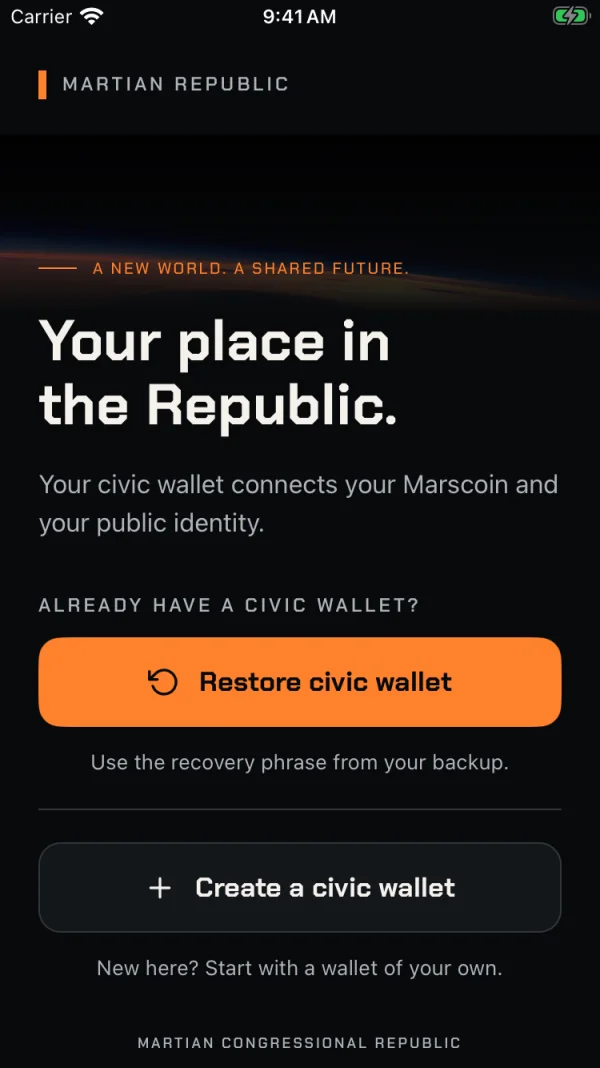
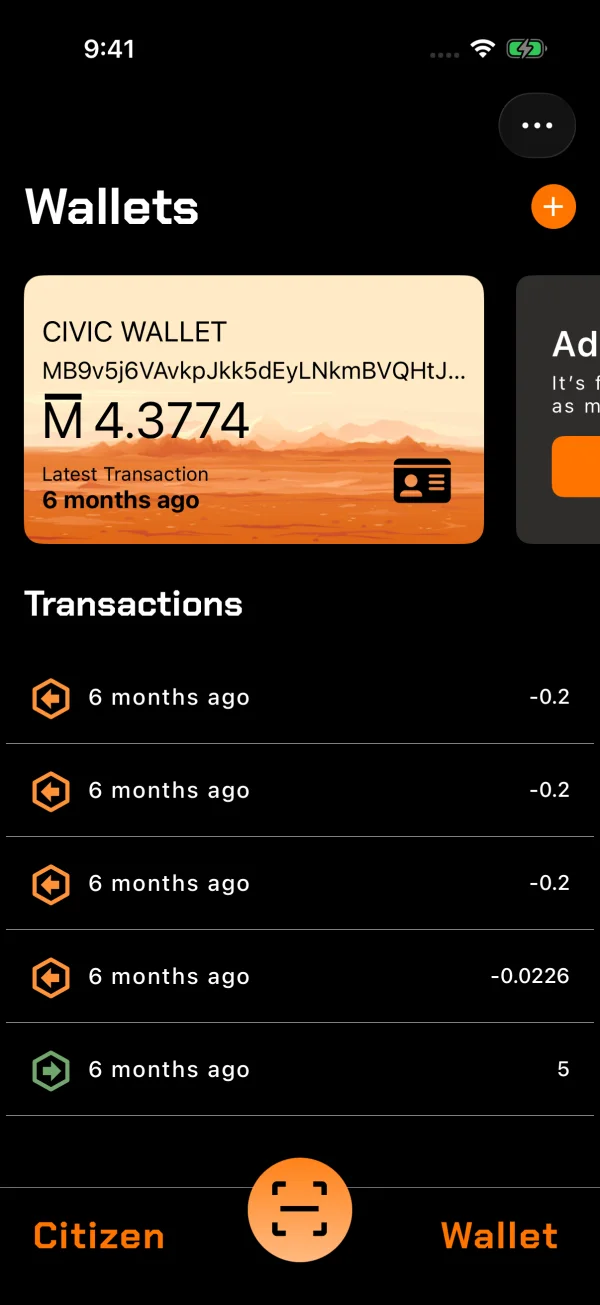
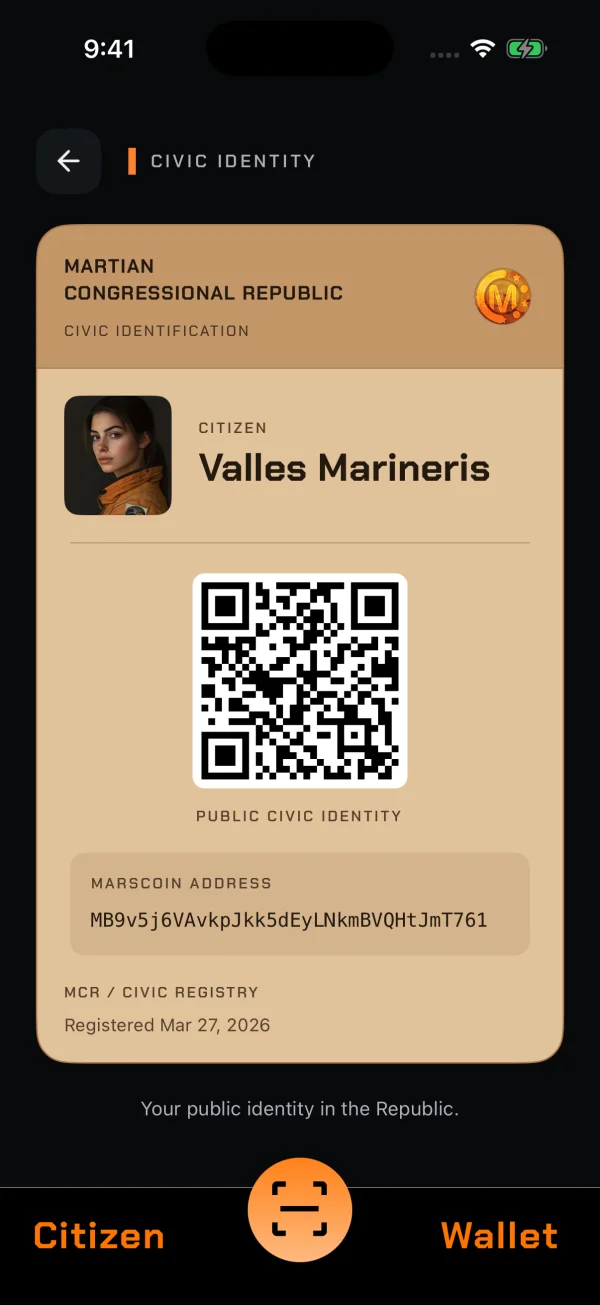
Version 1.0.6 of the Martian Republic app is now on the App Store. The app is your Marscoin wallet and your civic identity in the Martian Congressional Republic in one place. Two releases this month changed a lot:
- 1.0.5 (October 7) reworked what you touch most: getting started, sending and receiving MARS, your Civic ID, and applying for citizenship.
- 1.0.6 (October 11) adds a civic home and organizations, so citizens can work together.
Get started in a minute
Download Martian Republic from the App Store and open it. The new welcome screen gives you two choices:
- Create a civic wallet. The app makes a new Marscoin wallet and shows you its 12-word recovery phrase. Write it down and keep it somewhere safe: it is the only way to restore the wallet if you lose your phone.
- Restore civic wallet. Already have a civic wallet, for example from the Martian Republic website? Type or scan your recovery phrase, with a passphrase if you used one.
That’s it: you have a Marscoin wallet. You can receive MARS straight away, and you can add more wallets later from the Wallet tab.
New in 1.0.6: Home and organizations
The Citizen tab is now Home: one screen with everything going on in your civic life. It shows:
- your citizenship progress
- invitations waiting for you
- tasks assigned to you
- drafts you haven’t finished
Organizations let citizens work together. Members are invited to an organization and assign each other tasks with due dates. A task is completed with a note and up to four photos, which stay private to the organization.
Also new since 1.0.5
Welcome and recovery
- A new welcome screen with clear choices.
- Your recovery phrase is checked as you enter it.
- If you scan something that isn’t a phrase, such as an address or an extended public key, the app tells you what you scanned instead of failing silently.
- Restoring shows its progress, tells a connection problem apart from a storage problem, and lets you try again.
Sending and receiving
- A review before every payment. You see the network fee and the total before you send.
- Amounts are shown in MARS throughout.
- Payment QR codes are read strictly, so a malformed code can’t change the amount or the recipient.
- The app no longer reads your clipboard when it starts. To paste an address, tap Paste.
Civic ID
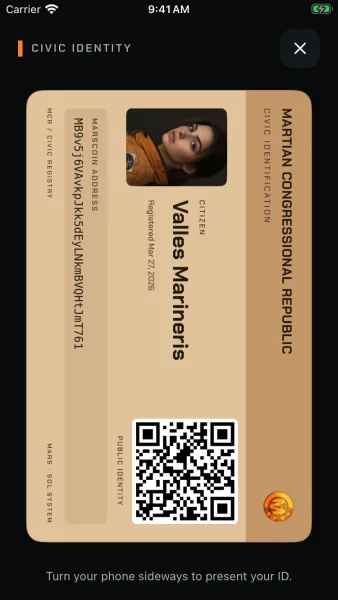
- The Civic ID card has been redesigned.
- Turn your phone sideways and it fills the screen, ready to present, with your public civic address and QR code.
Citizenship
- Your application draft is saved, encrypted, on your phone.
- Video uploads handle MP4 and MOV and tell you the limits up front: 60 seconds, 5 MB.
- Before your application is published to the blockchain, you see the fee and confirm it.
- If publishing is interrupted, you can retry.
- Endorsing another applicant gets the same review step.
- The citizen directory no longer shows duplicates.
Under the hood
- Sign-in tokens are kept in the iPhone’s Keychain.
- Wallet storage and the connection to Marscoin servers are more reliable.
- A removed or inactive account no longer affects the wallets on your phone.
- Connections to Marscoin servers check the servers’ certificates.
This release also brings the Congress and Public Square feeds to everyone using the App Store version.
Android
The Android version is being updated for Google Play’s current requirements and will be back on Google Play soon. We’ll post here when it is.